Introduction: The 4-Year Time Capsule
Four years ago, as a Senior UX Designer, I spent at least an entire work week (5 full days) building out a patient/clinician design system and a prototype of a homescreen. It was a standard, high-quality workflow: building a design system from scratch, wireframing, and eventually creating high-fidelity static mockups in Figma.
Recently, I decided to run an experiment. Could I replicate that same project using the 2026 AI stack? As a designer with limited coding experience, I wanted to see if Claude Design and Claude Code could actually replace my "comfort blanket" (Figma) and turn my designs into a living product.
The results were honestly frightening. I'd like to point out that I have minimal coding experience, I can understand the basics off CSS and HTML but that's it. I'd never used GitHub, and i had no idea how I would share the prototype.
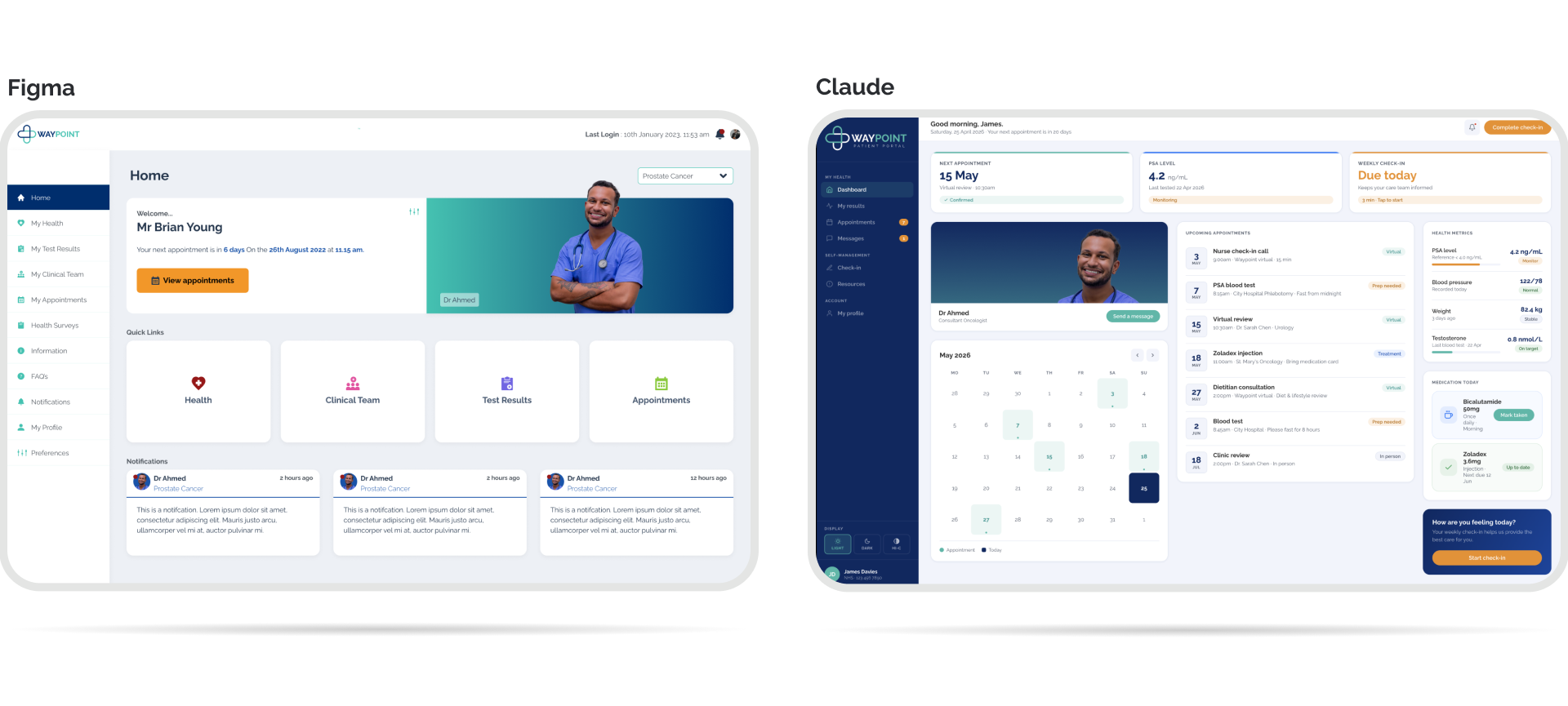
The Workflow: 2022 vs. 2026
The difference isn't just in the speed; it's in the output.
 Figma
Figma
 Claude Stack
The "Living App" Advantage
The biggest epiphany wasn't the 10x speed increase; it was the tangibility.
In 2022, I shared a Figma link. In 2026, I shared a Vercel URL. Seeing the app live in a mobile browser, responding to actual touch and behaving like a final product, changes the stakes. It removes the "imagination gap" for stakeholders. You aren't asking them to imagine how it works; you're showing them.
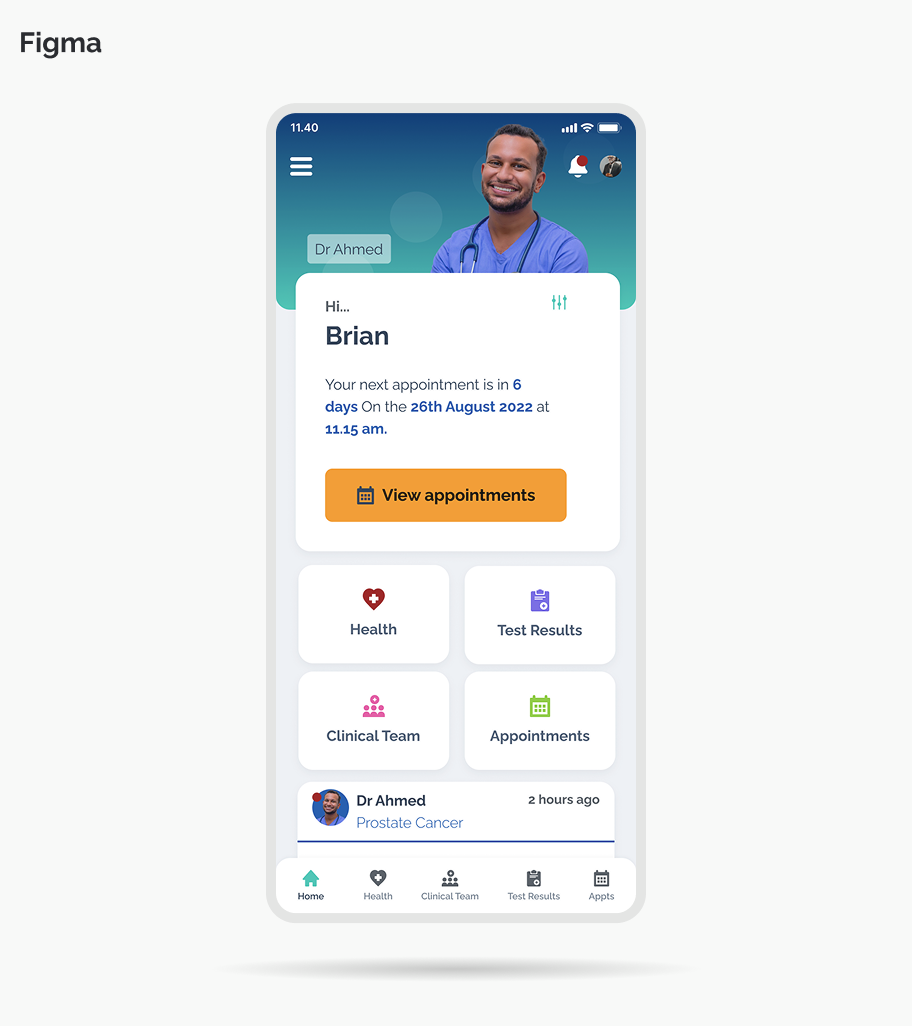
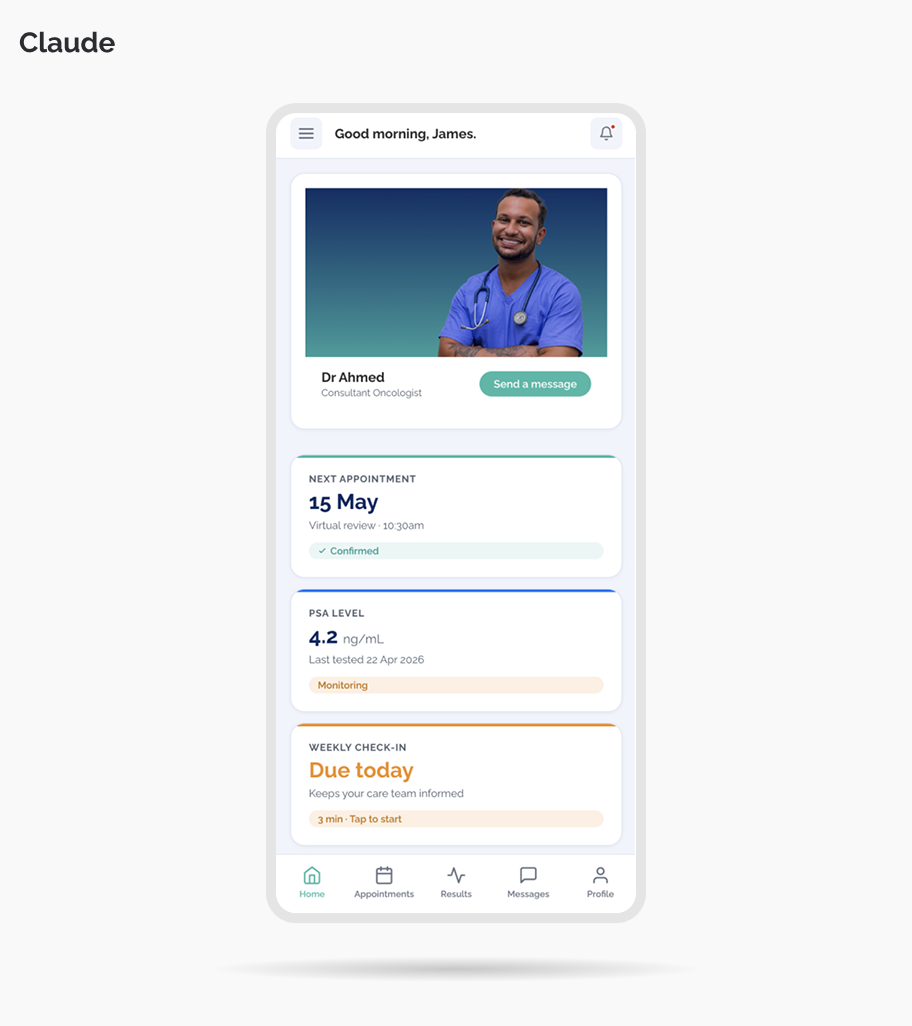
The Reality Check: Pros, Cons, and the "Prompting Tax" using Claude
It wasn't a perfect "magic wand" experience. There are significant trade-offs every designer should know before diving in.
Conclusion: Orchestrator vs. Pixel-Pusher
This experiment proved to me that the role of the Senior UX Designer is changing. We are moving away from being pixel-pushers and toward being Product Orchestrators.
I'll always love Figma for the "thinking" phase; it's still the best place for total creative control. But for moving from a validated idea to a sharable, living prototype? Claude has officially taken the crown.
Is the static mockup dead? Maybe not yet. But it's definitely on life support.
View Claude Prototype